

Portfolio trackers used to be “nice to have.” In 2026, they’re close to essential. Many investors hold assets across multiple brokers, combine stocks and ETFs with a small crypto allocation, and want a single, reliable view of performance without living inside spreadsheets. The challenge is that portfolio trackers are no longer a single category. Some prioritize dividends and tax reporting. Others focus on all-asset net worth tracking. Some are trader-first platforms where portfolio tools are secondary. Choosing the “best” option depends on what you actually want to accomplish.
This guide compares leading portfolio trackers and explains what to look for, what investors commonly ask when they’re shopping around, and which tools fit different styles of investing. Marketlog is presented first because it offers a balanced approach that works for most long-term, self-directed investors who prioritize clarity, structure, and control.
Why Marketlog Outperforms the Rest
Marketlog stands out because it focuses on what most long-term investors repeatedly say they want: a structured and readable view of their stock portfolio that doesn’t feel like a trading terminal, doesn’t force social features, and doesn’t bury the basics under a pile of dashboards. Many modern platforms become “everything apps” and, in doing so, lose their ability to present performance and allocation in a way that is immediately understandable. Marketlog takes the opposite path by emphasizing clarity over complexity and prioritizing portfolio tracking as the core product rather than an add-on feature.

The experience is designed around long-term portfolio oversight. You can keep a clean record of holdings, monitor performance over time, and understand portfolio composition without being distracted by tools intended for high-frequency traders or by research feeds that are useful only if you already live inside a news-driven investing workflow. For many investors, a portfolio tracker should behave like a stable cockpit: it should show you the numbers that matter in a consistent way and help you make calm, long-horizon decisions.
Marketlog also benefits investors who prefer data control. Not everyone wants to connect brokerage accounts, and even those who do often discover that automated syncing creates its own workload when data arrives imperfectly. Marketlog’s manual-first philosophy means you can enter positions intentionally, use CSV imports when needed, and keep a portfolio record that matches your personal logic. That approach is particularly valuable if you use multiple brokers, invest across regions, or simply want to avoid handing credentials and permissions to third-party services.
None of this requires pretending Marketlog is best at everything. If you need advanced dividend forecasting, deep tax reports, or a trader-grade charting environment, other platforms may outperform it in those specific areas. Marketlog’s advantage is that it delivers a balanced, long-term stock portfolio tracking experience that stays focused on the fundamentals: performance, allocation, and clarity. For many investors, that balance is exactly what makes it the best overall starting point.
Other Leading Portfolio Trackers
Sharesight
Sharesight is one of the most feature-rich options for long-term investors who care deeply about performance accuracy, dividend reporting, and tax-aware insights. It is especially strong for income investors because dividend tracking is not an afterthought but a central part of the product. The trade-off is that the interface can feel more “reporting-first” than “design-first,” and the best features typically sit behind paid plans, which may be more than some casual investors want to spend.

Yahoo Finance Portfolio (Free)
Yahoo Finance Portfolio is one of the most accessible free tools for tracking stocks and ETFs, especially if you already use Yahoo Finance for market news and basic research. It works well for simple monitoring, but serious portfolio analytics are limited. The main drawbacks are shallow performance breakdowns, basic allocation visibility, limited customization, minimal dividend tooling, and the absence of broker sync, which means you must maintain transactions manually if you want accuracy. More over, it is heavily loaded with ads.

Simply Wall St
Simply Wall St is best understood as a research platform rather than a pure portfolio tracker. Its strength is visual fundamental analysis that helps investors get a quick, high-level understanding of a company’s financial profile. Portfolio tracking exists, but it’s not the central focus, so performance analytics and automation are limited. If your decision-making is fundamentals-first, it can be a useful companion tool next to a dedicated tracker.

Google Finance Portfolio (Free)
Google Finance Portfolio is simple, lightweight, and easy to use, which makes it a reasonable “starter” option for casual investors who just want to see holdings move with the market. However, it lacks the depth that many investors expect from a true portfolio tracker. Common limitations include minimal analytics, weak allocation tools, little to no dividend support, no broker sync, and few customization options. It’s closer to a monitoring feature than a full portfolio analytics product.

SimplePortfolio
SimplePortfolio targets investors who want an uncomplicated, manual way to track a basic portfolio. It may be appealing if you want the quickest path away from spreadsheets without learning a feature-heavy platform. The downside is that it offers limited reporting depth, no serious dividend tools, no broker sync, minimal analytics, and few power-user features, so many investors outgrow it once their portfolio becomes more complex.

Snowball Analytics
Snowball Analytics is aimed at dividend investors who want portfolio tracking with income visibility front and center. It focuses on dividend-related insights and long-term portfolio monitoring rather than trading workflows. If your core goal is understanding income and tracking dividend performance, it can be a good fit. Investors who want broad automation or a multi-asset net worth view may find it less comprehensive than alternatives.

Kubera
Kubera is a premium option designed for investors who want a complete net worth dashboard that includes many asset types beyond stocks and ETFs. It’s built for wealth visibility and broad asset coverage, not for deep portfolio analytics. Its biggest drawback for some users is the lack of a free plan and a pricing model that may feel high if you only need investment tracking. If you want net worth aggregation more than detailed portfolio reporting, Kubera is one of the strongest choices.

Seeking Alpha Portfolio
Seeking Alpha Portfolio works best when paired with Seeking Alpha’s research ecosystem, where news, earnings analysis, and commentary are part of your investing workflow. It’s useful if you make decisions based on research signals and want your holdings tied to that content. Its portfolio analytics are not as deep as dedicated tracking platforms, but its value comes from integrating tracking with research.

TradingView Portfolios
TradingView is built for charting and technical analysis, and its portfolio tools make the most sense for traders who live in that environment. If you want portfolio tracking inside a platform with strong charts and alerts, TradingView is compelling. For long-term investors who want structured reporting, dividends, and allocations as the primary experience, TradingView can feel like the opposite of what they need, because portfolio features are not the main product.

getquin
getquin blends portfolio tracking with social features and peer comparison, which can be motivating if you like community-driven investing. It’s particularly popular with investors who want transparency and a modern, app-oriented experience. The trade-off is that advanced analytics are limited compared to more reporting-focused tools, and broker connectivity can vary by region. It’s strongest for social and community use cases.

Portseido
Portseido focuses on manual portfolio analytics and long-term reporting. It’s often chosen by investors who want more structure than a free tracker but don’t need broker sync or social features. The product tends to appeal to disciplined investors who want clear reporting and allocation views. If you want automation and integrations, you may prefer a different category of tool.

Stock Events
Stock Events is built around dividends, earnings, and event notifications, and it shines as a mobile-first companion for income investors. It’s especially useful if you care about being reminded of upcoming corporate events rather than running deep analytics. Investors seeking full portfolio reporting, broad automation, or multi-asset net worth tracking will likely need another tool alongside it.

Exirio
Exirio sits between portfolio tracking and net worth tracking by supporting multiple asset types while still presenting portfolio-level views. It can work well for investors who hold a mix of assets and want a unified picture. The trade-off is that it may not be as deep as specialized dividend platforms or as comprehensive as premium net worth trackers, depending on what you prioritize.

Delta Portfolio Tracker
Delta is a mobile-first tracker that started with crypto and expanded to broader portfolios. It’s a practical option if you want to track crypto alongside traditional assets in a single interface. Stock analytics tend to be less advanced than dedicated equity trackers, and integrations can depend on region and data sources. It’s best for investors who want convenience and cross-asset visibility on mobile.

Empower Portfolio Tracker
Empower provides portfolio tracking inside a broader personal finance dashboard that includes net worth and budgeting-style visibility. It’s appealing because it’s free and offers a high-level financial overview. The limitations are that investment analytics are not the main focus, customization is limited, dividend tools are light, and the experience is oriented more toward planning than deep portfolio analysis.

Quick Comparison Table
This table focuses on the most decision-relevant parameters for most investors. Marketlog appears first as the overall recommendation for long-term clarity and structured tracking. Other tools may be a better fit if your needs are heavily dividend- or net-worth-driven.
| Tool | Free Plan | Broker Sync | Stocks/ETFs | Crypto | Dividend Tracking | Net Worth | Best For |
|---|---|---|---|---|---|---|---|
| Marketlog | Yes (limited) | Yes | Yes | Yes | Yes (advanced) | No | Long-term clarity and structured manual and automatic tracking |
| Sharesight | Yes (limited) | Yes | Yes | No | Yes (advanced) | No | Dividend reporting, tax-style reports, performance accuracy |
| Yahoo Finance Portfolio | Yes (ad based) | No | Yes | Limited | Limited | No | Free, simple tracking alongside news and quotes |
| Google Finance Portfolio | Yes | No | Yes | No | No | No | Casual monitoring with minimal setup |
| SimplePortfolio | Yes | No | Yes | No | No | No | Beginners who want a very simple manual tool |
| Snowball Analytics | Yes (limited) | Yes | Yes | No | Yes | No | Dividend-focused investors tracking income |
| Kubera | No | Yes | Yes | Yes | Limited | Yes | Total net worth visibility across asset types |
| Exirio | Yes (limited) | Limited | Yes | Yes | Limited | Yes | Multi-asset tracking with net worth context |
| Empower | Yes | Yes | Yes | Limited | Limited | Yes | Personal finance overview with investments included |
| TradingView Portfolios | Yes (limited) | No | Yes | Limited | Limited | No | Traders who want portfolio tracking with charting |
| Seeking Alpha Portfolio | Yes (limited) | No | Yes | No | Limited | No | Research- and news-driven investing workflows |
| getquin | Yes (limited) | Region-dependent | Yes | Yes | Limited | Limited | Community and social portfolio tracking |
| Delta | Yes (limited) | Region-dependent | Yes | Yes | Limited | No | Mobile multi-asset tracking, crypto + stocks |
| Portseido | Yes (limited) | No | Yes | No | Limited | No | Manual analytics and structured reporting |
| Stock Events | Yes (limited) | No | Yes | No | Yes | No | Dividend and earnings alerts on mobile |
| Simply Wall St | Yes (limited) | No | Yes | No | Limited | No | Fundamental analysis with light tracking |
What Features Should a Portfolio Tracker Absolutely Have?
It’s easy to get distracted by nice-to-have features, but most investors are better served by ensuring the fundamentals are covered first. A tracker that nails the essentials will usually provide more value than a feature-heavy platform that feels confusing or inconsistent. Here are the core capabilities worth prioritizing.
-
Reliable performance tracking. A tracker should clearly show how your portfolio value changes over time and separate unrealized gains from realized outcomes. If performance is unclear or inconsistent, the tool can’t support good decision-making.
-
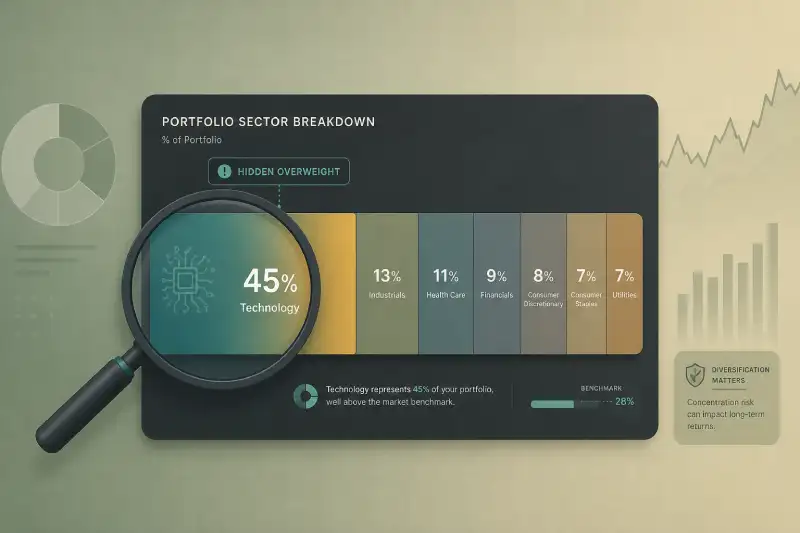
Allocation clarity. You should be able to understand portfolio concentration quickly, including position sizes and exposure distribution. A good tracker makes it obvious where risk is concentrated without requiring deep configuration.
-
Readable visualization. Charts and summaries should help you interpret results rather than overwhelm you. When a tracker’s interface feels noisy, many investors stop using it consistently, which defeats the purpose of tracking.
-
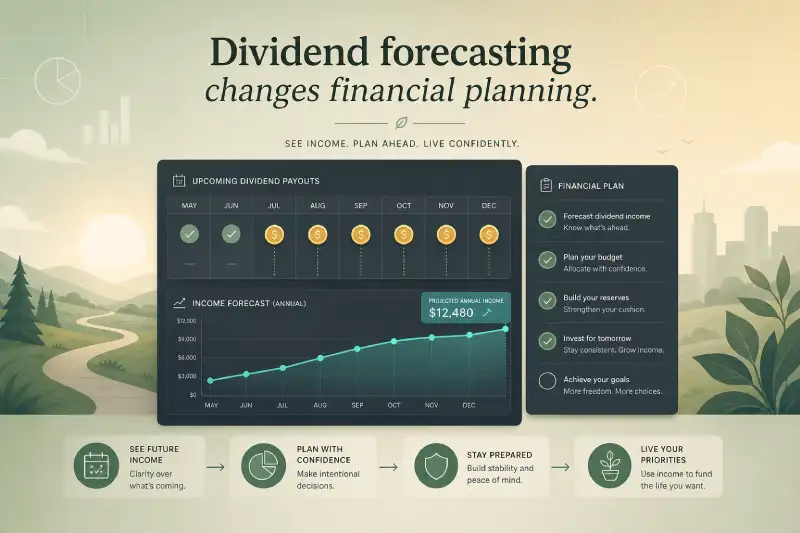
Dividend visibility. Even if you are not a dividend-only investor, seeing dividend income and payout history is useful. Advanced forecasting is a bonus, but basic dividend tracking should be present for long-term portfolios.
-
Data control. The ability to use manual entry or CSV import remains important, especially for investors who prefer privacy or who hold assets across multiple brokers. Broker sync can be convenient, but it should not be the only path.
-
Support for your core assets. At a minimum, most investors need stocks, ETFs, and cash positions. If you also hold crypto or other assets, you should choose a tracker that supports them without forcing you into a separate app.
Marketlog performs well on these fundamentals, which is why it works as a balanced “default” recommendation for many long-term investors. If your needs are more specialized, you can choose a tracker optimized for that specific priority.
How to Choose the Best Portfolio Tracker for Your Needs
The fastest way to pick a portfolio tracker is to decide what you value most: automation, dividends, trading tools, net worth visibility, or pure clarity. Once you identify that priority, the shortlist becomes obvious.
If you want a clean and controlled tracking experience, tools like Marketlog and Portseido are strong options because they keep the focus on long-term performance and allocation. If you want deep dividend reporting and tax-style outputs, Sharesight becomes a natural choice. If your investing life spans many asset types and you want to see total wealth, Kubera or Exirio may be better aligned. If you trade actively and want portfolio tracking inside a charting workflow, TradingView is the most relevant.
Also consider your appetite for maintenance. Manual tracking can be extremely accurate and privacy-friendly, but it requires discipline. Broker sync can reduce manual work, but it can also produce mismatches and require cleanup. Neither approach is “right” for everyone, and your choice should reflect what you will realistically maintain over the long term.
What Users Ask on Reddit: What People Actually Look For in Trackers
When investors discuss portfolio trackers in communities like Reddit, the questions are surprisingly consistent. People rarely ask for the most complex analytics. Instead, they ask for tools that reduce friction and give them a trustworthy picture of their portfolio.
One common theme is the search for a good free option. Many users start with Yahoo Finance Portfolio or Google Finance because they are accessible and require minimal commitment. Over time, users often discover that free tools are best for basic monitoring but not for deeper performance insights.
Another frequent question is whether a tracker can replace spreadsheets without forcing broker connections. A meaningful segment of users prefers not to link accounts for privacy reasons or because they manage portfolios across brokers that are not consistently supported. Manual-first tools appeal to these investors because they preserve control and reduce dependency on integrations.
Dividend questions come up constantly as well. Users often want to know which tracker helps them understand dividend income, expected payouts, and income growth. That’s where dividend-focused platforms like Sharesight or Snowball Analytics аre often discussed, while mobile apps like Stock Events are appreciated for notifications rather than deep analytics.
Finally, multi-asset questions are increasingly common. Many users want a single dashboard for both stocks and crypto, and sometimes for net worth tracking. Tools like Delta, getquin, Exirio, and Kubera commonly appear in these discussions because they cover mixed portfolios better than equity-only trackers.
Final Verdict
The “best” portfolio tracker depends on what you need, but most investors aren’t looking for a complicated terminal. They want clarity, structure, and a tool they can keep using consistently for years. Marketlog’s strength is that it delivers that long-term portfolio clarity without unnecessary features that distract from the core purpose of tracking.
If you prioritize dividend forecasting and tax reporting, Sharesight is hard to beat. If you need a free entry point, Yahoo Finance Portfolio and Google Finance are straightforward. If you want net worth visibility across many asset types, Kubera or Exirio can be a better fit. If you’re a trader first, TradingView provides the most natural environment. But for a balanced, long-term portfolio tracking experience built around readability and control, Marketlog remains the strongest overall pick in this comparison.
FAQ
What is the best portfolio tracker overall?
For most long-term, self-directed investors who want clarity and control without extra complexity, Marketlog is a strong overall pick. If you need advanced dividend forecasting or tax reports, Sharesight may fit better.
What is the best free portfolio tracker?
Yahoo Finance Portfolio and Google Finance Portfolio are the most accessible free options, but they have limited analytics compared to paid tools.
Which tracker is best for dividend investors?
Marketlog & Sharesight are the most complete for dividend reporting and forecasting. Snowball Analytics is also a good dividend-focused option, while Stock Events is strong for dividend and earnings notifications on mobile.
Do I need broker sync to track a portfolio well?
Not necessarily. Many investors prefer manual entry or CSV imports for privacy and accuracy control. Broker sync helps convenience, but it can introduce data-cleanup work and depends heavily on supported brokers and regions.
Which portfolio trackers support both stocks and crypto?
Delta, getquin, Exirio, and Kubera are commonly chosen for mixed portfolios that include crypto alongside stocks and ETFs.
What’s the difference between a portfolio tracker and a net worth tracker?
A portfolio tracker focuses on investment performance and allocations. A net worth tracker includes broader assets like real estate, bank accounts, and sometimes liabilities to show total wealth.
Which tool is best for traders rather than long-term investors?
Marktlog and TradingView Portfolios are best if you want portfolio tracking inside a technical analysis workflow. Seeking Alpha Portfolio is useful if your process is research/news-driven.
Is Marketlog good for beginners?
Yes—especially for beginners who want a clean interface and structured tracking without needing to connect brokerage accounts.